
BoldDesk vs Zendesk: Where BoldDesk Wins (and Where it Doesn't)
I’ve been a Zendesk guy for a while. I know my way around various systems and have other strings to my bow, but the Zendesk migrations and implementations are fundamentally what pays the bills at Deltastring HQ. When new products are looking to draw businesses away from Zendesk, we’re paying attention.
If you really want to make me look, promote this on to my Linkedin feed:
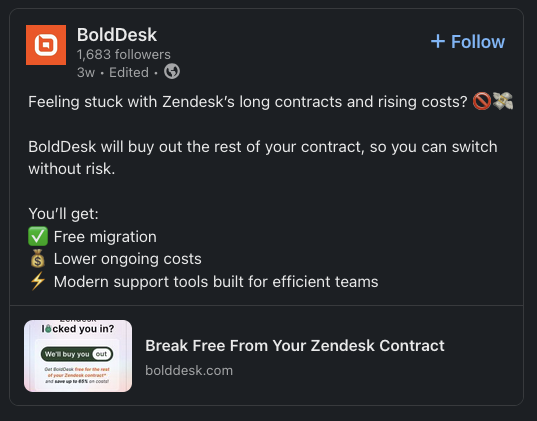
Time for us to take a look at this BoldDesk product and understand what they are selling. Are they a solid Zendesk alternative?
The short answer is “yes” but read on for the details and exceptions…

Here’s a video where I click through BoldDesk and talk through some of these findings. This article isn’t a direct transcript of this video. The points raised here are examined in more detail and we go some way beyond the overview here. It’s good and you should watch it.
This is my unfiltered take on what BoldDesk does well, where it falls short, and who should actually consider switching.
Who Am I and Why Should You Trust This?
I’m Nico B. Boyce, founder/CTO at Deltastring Ltd, Zendesk implementation consultant. I’ve spent years configuring Zendesk instances, training agents, building custom integrations, and solving complex support workflow challenges. The bulk of our work is on a white label basis, so you may well know me from wearing another brand’s hat.
I have no commercial relationship with BoldDesk and Syncfusion didn’t pay for this review. I registered for a trial and then popped them a few questions.
My bias, if anything, is toward Zendesk—it’s what I know and for us it’s the safe option. Recommending alternatives potentially costs me implementation work. Will I get in trouble if I say “better the devil you know” here?
I’m also frustrated watching clients struggle with Zendesk’s price increases and clunky admin interface. If there’s genuinely a better option for certain use cases, I do want to know about it.
First Impressions: The Things That Impressed Me
Data Residency Choice at Signup
During the BoldDesk registration process, you’re immediately asked: “Where do you want your data stored?” The options are US, EU, India, Australia. I’m sure you’ve seen the news recently and are aware of the increasingly fractured world we are all trying to do business in. Every service needs to be considering these factors today.
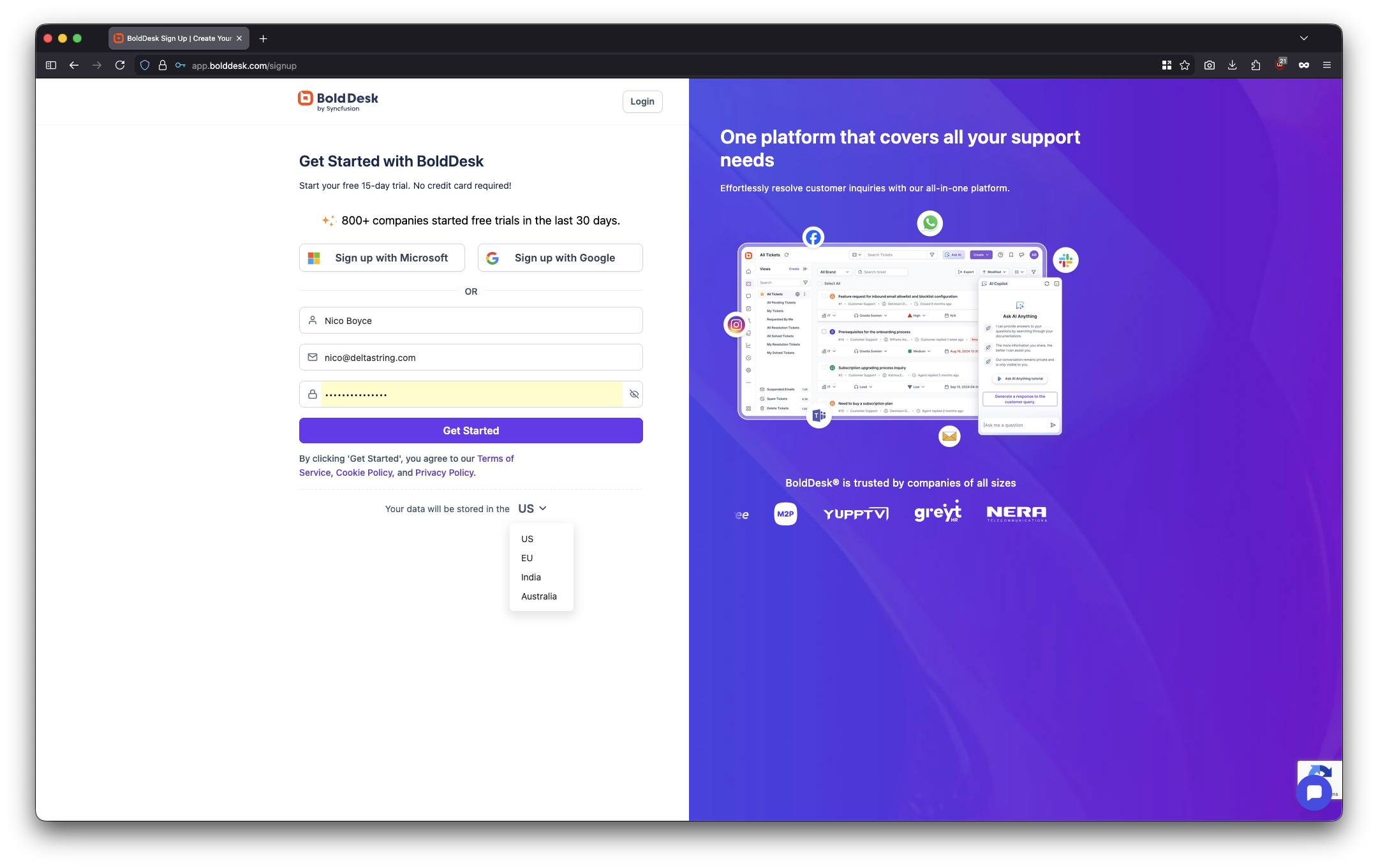
This is massive for 2026. GDPR compliance, data sovereignty requirements, regional regulatory frameworks—these aren’t edge cases anymore. With Zendesk, data residency can require special requests, different contracts, potentially higher pricing. BoldDesk offers it upfront as a standard option. I talk about this more on Tiktok.
For European businesses especially, this removes a significant compliance hurdle.
The Onboarding Experience
After registration, BoldDesk immediately presents ~30 training videos covering specific, actionable tasks:
- How to customise ticket forms
- Setting up workflow automation
- Configuring Copilot
- Creating business schedules
- Building custom views
- Setting up macros
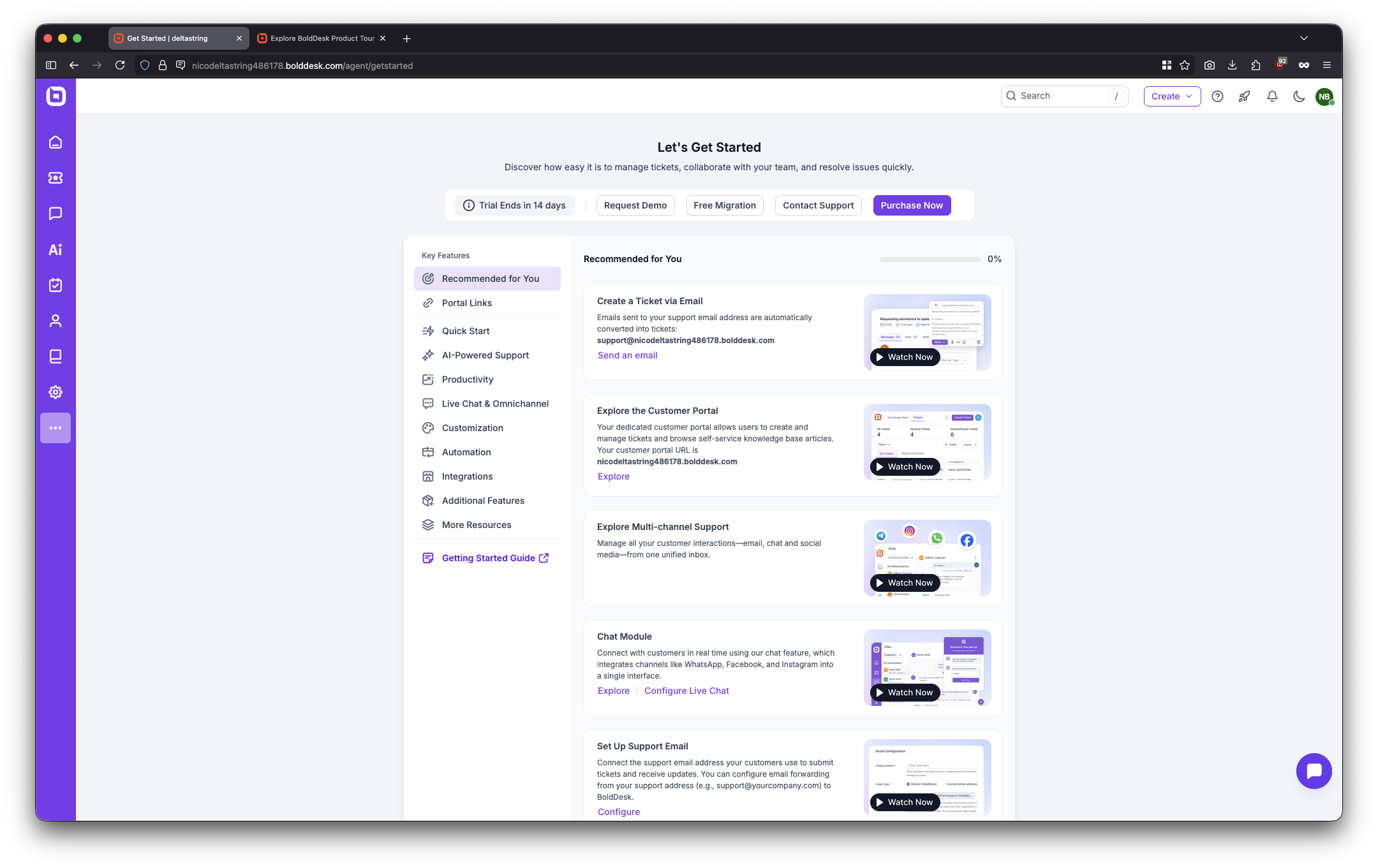
Compare this to Zendesk’s approach: you get a couple of tooltips, maybe an email a few days later pointing to training.zendesk.com, and you’re largely on your own.
If you’re someone who has found yourself as a support manager, the type of situation where you started off just being the sole support person at that business, and now your leadership are saying ‘right, you need to go and get five, ten more people and set up a platform’ the this is what you need. You’re actually going to find these videos do tell you how to get the bulk of stuff done.
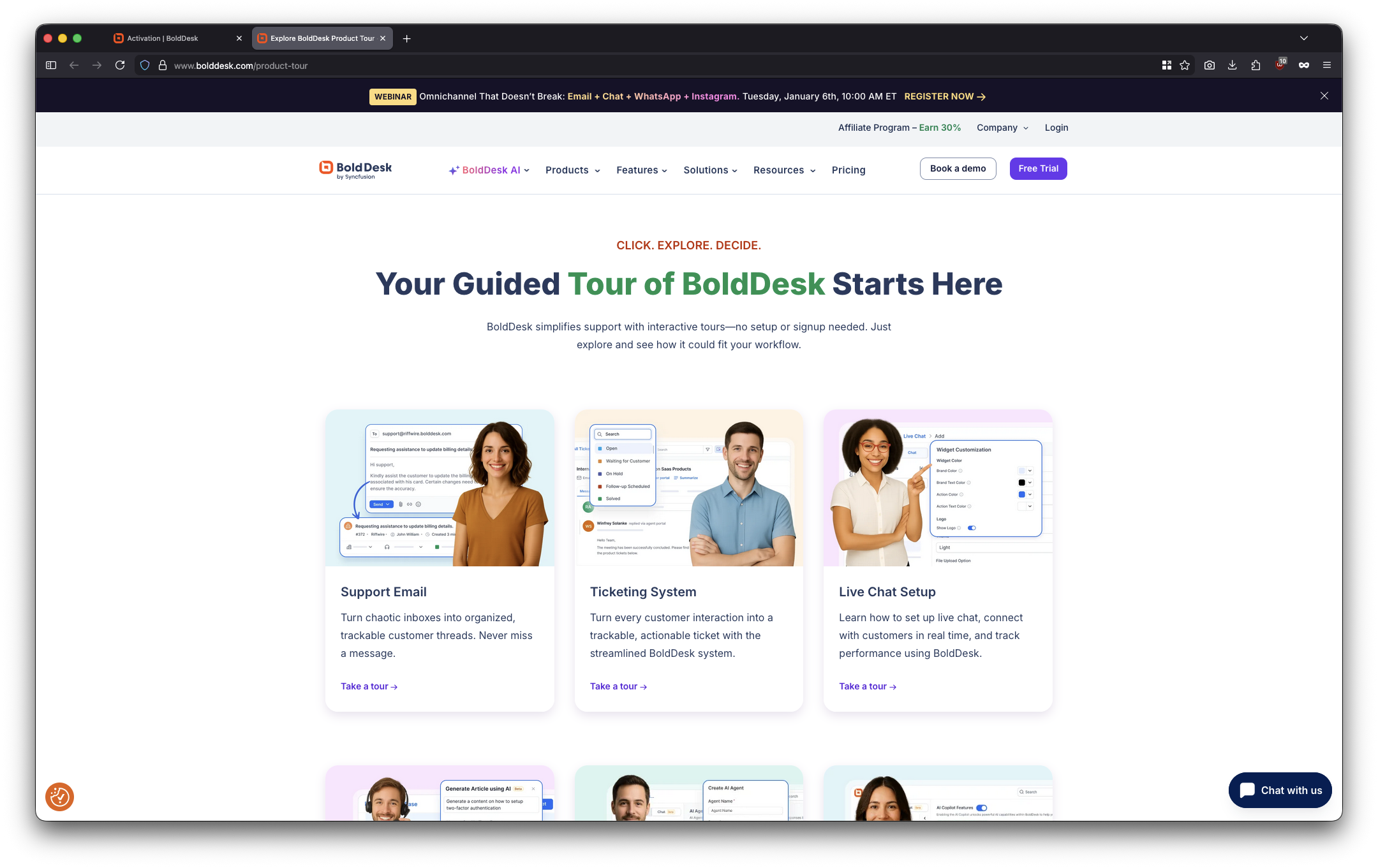
Admin Interface Coherence
In Zendesk, I think the kindest way to describe the admin interface is that it was built by different teams at different times and the user can sense this. Configuring triggers work one way, automations work slightly differently. Features we think of as standard objects feel bolted on.
In BoldDesk, the whole platform has this really coherent feel to it. Triggers and time triggers (a more logical name than Zendesk’s “automations”) use identical interfaces, the logic flows match, the design language is consistent throughout.
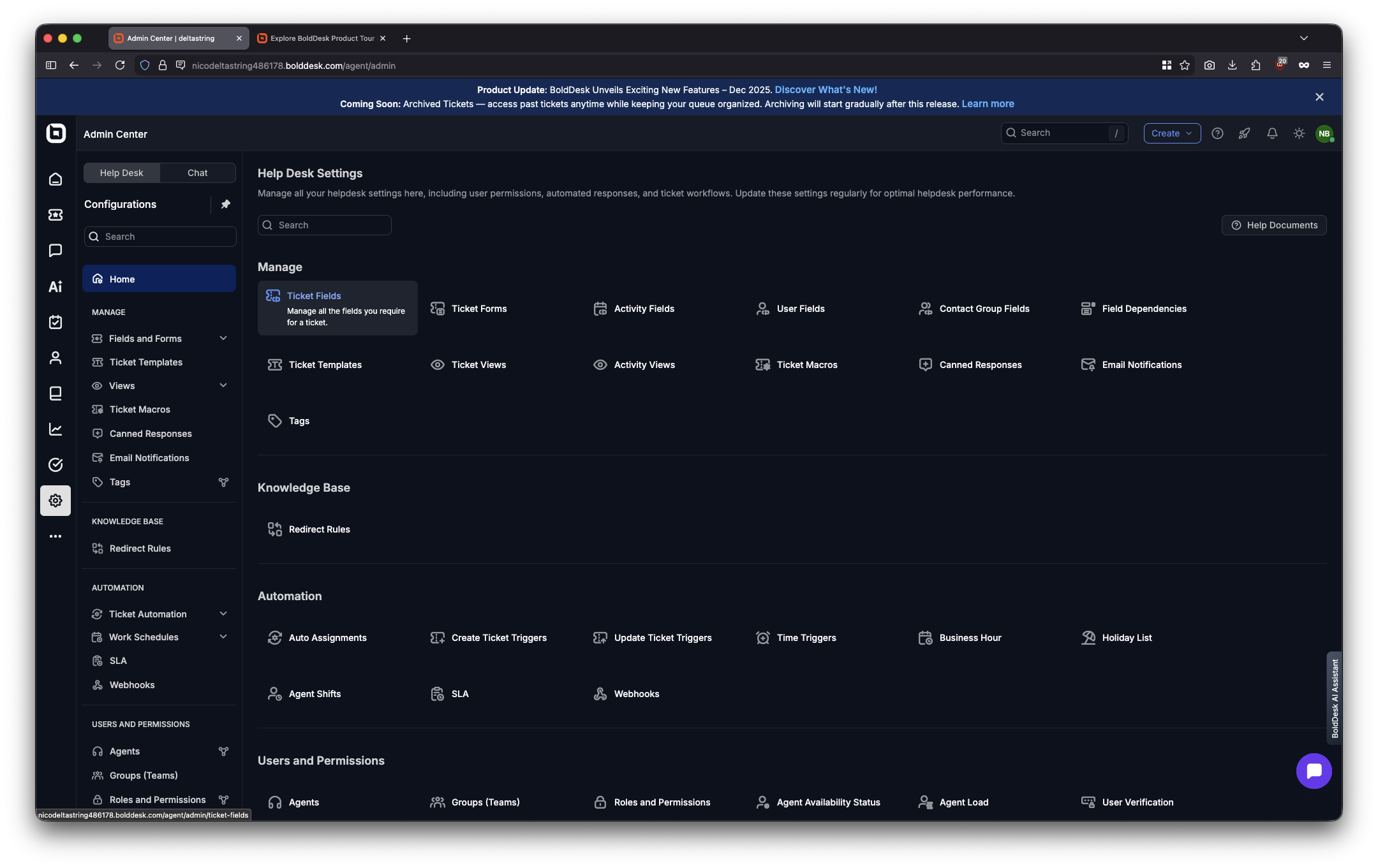
I found myself thinking: “Even experienced Zendesk admins would probably find that BoldDesk is quicker.”
That’s a significant statement. I’ve been configuring Zendesk for years. I know where everything is, how to work around its quirks. I’ve written my own tools to avoid the admin panel when updating the basic objects. (This eventually became Beacon.) If I had to use the web interface, I genuinely think I’d be faster in BoldDesk for standard configuration tasks.
Built-In Conveniences
Small things matter when you’re maintaining a system daily:
Excel export from any screen: Looking at your ticket fields? Export as Excel with two clicks. In Zendesk, I need to use the API or work around the web interface unloading items off-screen as I scroll.
Hover tooltips: Not sure what a setting does? Hover over it, get a clear explanation.
Logical grouping: Things are broadly called what you’d expect them to be called. It feels like being reunited with an old coat and finding your hands remember where the pockets are. Your mouse already knows the way around.
Business schedule flexibility: Different schedules for different automations. Want automated customer responses outside business hours but internal escalations only during working time? Straightforward.In Zendesk, this is a bit of a faff.
Dark Mode That Actually Works
Again, nice and coherent. Very similar to the default dark theme in Slack or VSCode. In Zendesk I keep it in the light mode and configure the colours with CSS in my browser.
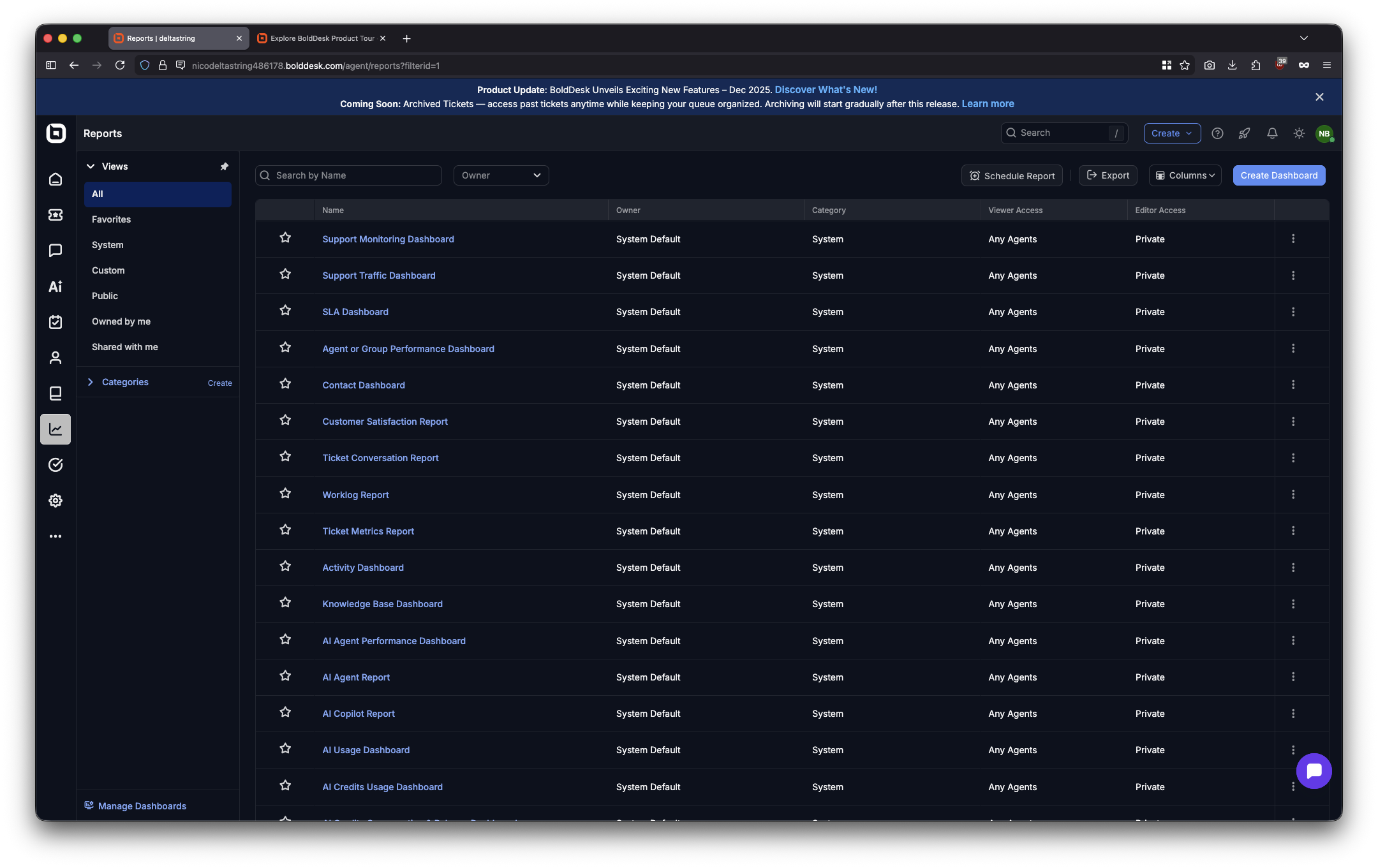
For people who live in other modern tools all day, BoldDesk immediately feels familiar.
It’s not just “dark mode exists and looks great” but that the dark mode is well-implemented throughout the entire interface.
Support Widget Dogfooding
BoldDesk embeds their own support chat widget in the platform, using BoldDesk itself to provide support.
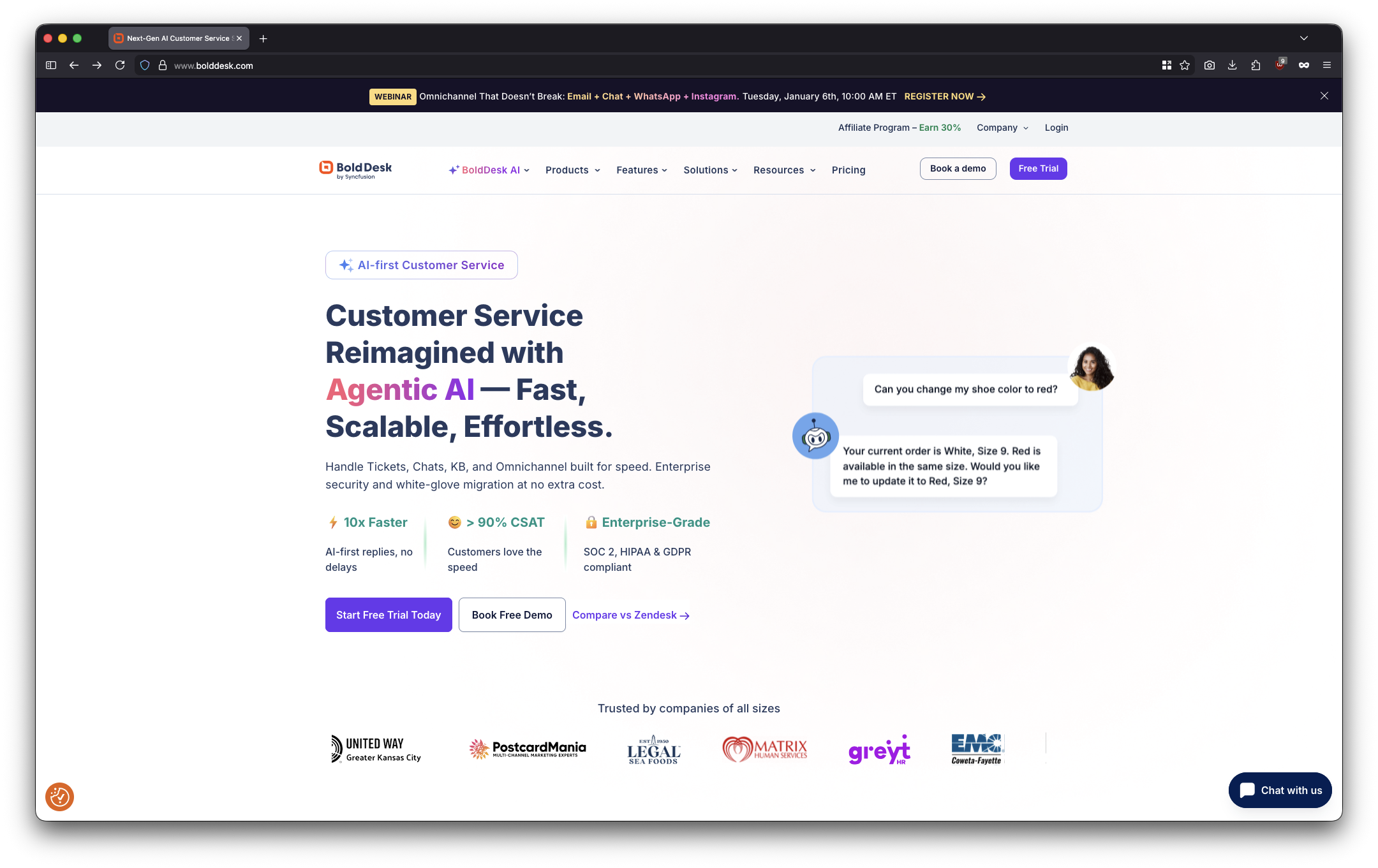
Clearly they trust their own platform for critical business functions. My suspicion is that BoldDesk might well have been an internal product to start with anyway. Presumably their support team genuinely understands how the platform works, because they are in it as you speak to them.
I didn’t raise tickets during the trial—felt a bit rude to waste their support team’s time when I was just kicking the tyres.
What Actually Works Well (The Technical Stuff)
Agent Experience
As an agent, I would be really chuffed to be moved to BoldDesk.
The interface is going to be familiar to anyone who’s used Outlook. Views on the left (pinnable or hideable), ticket details on the right, conversation in the centre.
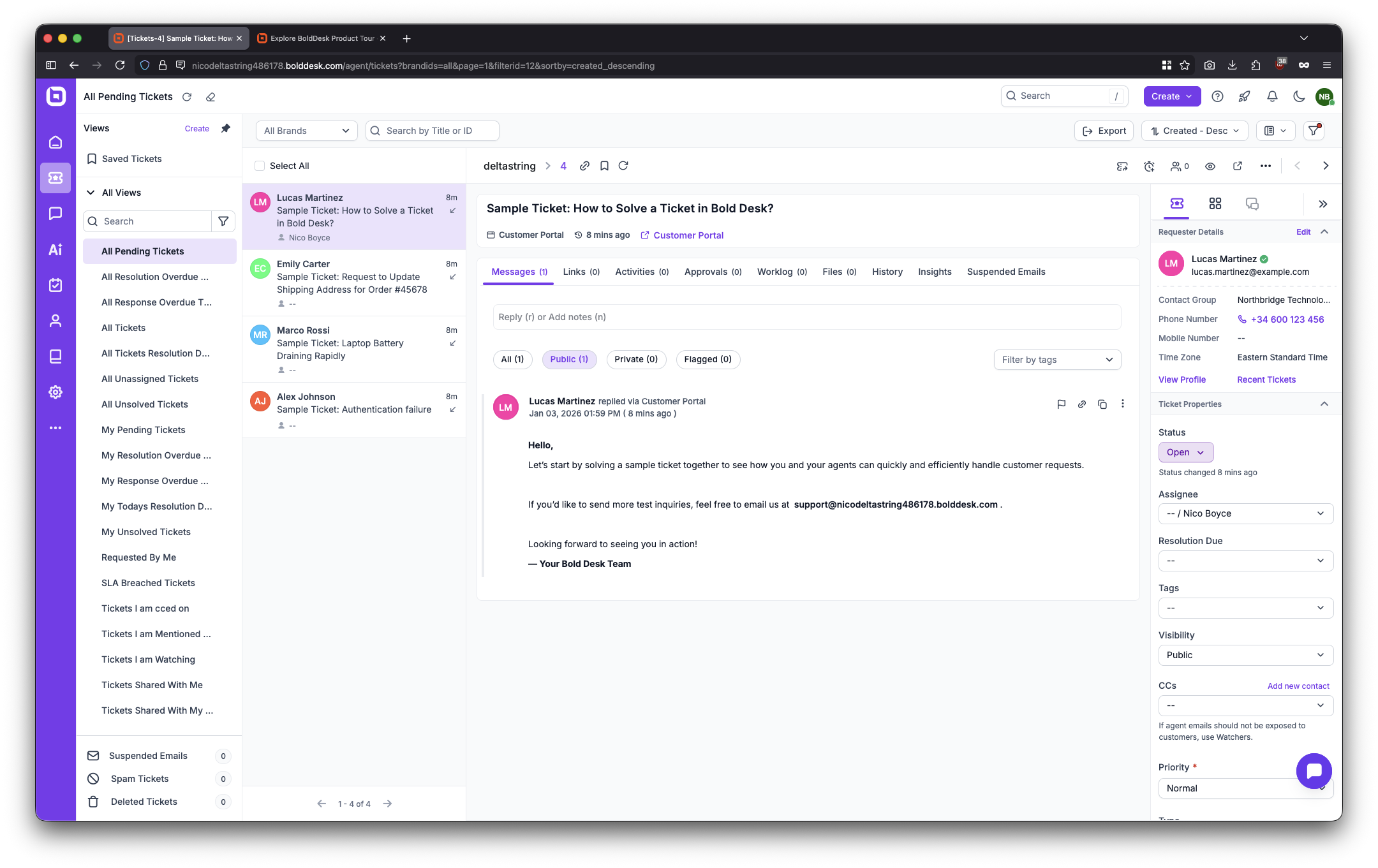
Can quickly modify views via three-dot menu. Favourites system works intuitively. Keyboard shortcuts are well-documented. I never feel lost working my way around BoldDesk.
That’s the goal, isn’t it? Agents shouldn’t need to think about the tool. It should get out of the way and let them help customers. The best applications let you forget about that layer and just think about the function. I’m not operating Spotify, I’m listening to music. I’m not using Whatsapp, I’m calling my friend. We all know the applications which don’t get this right. MS Teams. Facebook.
Reporting
You want to see something else I really love about BoldDesk? The reporting features.
The pre-built reports are very comprehensive and cover most of the things you’re going to want to do. SLA performance, ticket volume, agent metrics, channel breakdown. They look coherent with the platform and they’re where you expect them to be.
When you go to create your own dashboard, you add widgets using templates and datasets (analogous to datasets in Zendesk Explore). The way it does calculations is logical. Widget types are familiar: KPI, card, bullet, gauge. The way it aggregates things, compares to previous periods, the date builders, it’s all very straightforward. Everything is explained in the way you’d want it to be.
As I clicked through these options, I found this has a shallower learning curve than Zendesk Explore.
Now, I think comparing this directly to Explore for a lot of businesses is unnecessary. I and plenty of other Zendesk experts don’t necessarily advise using Zendesk Explore for your real digging into data. Instead, pipe everything over to your data warehouse, use Power BI, have your actual data people look at it. Explore is a good tool for people who are managing agents or just need to understand things quite quickly.
I think the same is true of BoldDesk. But I don’t see businesses of that scale moving to BoldDesk at this point anyway.
What I Haven’t Looked At
I’ve had limited time to really get to grips with this, so there are things I haven’t looked at. I have not dived into the capabilities with webhooks. I have not massively looked into the API. I have not looked into the marketplace, though you can see all of the business applications you use do seem to have integrations there.
I didn’t raise tickets with BoldDesk during the trial. Felt a bit rude to waste their support team’s time when I was just kicking the tyres. They did check in by email though.
A short trial also can’t tell you anything useful about long-term uptime.
So there are things I haven’t been able to really explore. If you have specific and niche needs for integrations or applications, you’ll want to do your own evaluation or get in touch and we can help with that. We do platform evaluations for clients.
The Scale Question
I don’t know what it precisely is about BoldDesk, but I don’t see these huge scale migrations happening at this time. I think there’s a lot of momentum with Zendesk. The way that Zendesk deal with the super huge accounts is very different to how they work with some of the smaller businesses.
BoldDesk is newer than Zendesk and that matters. Zendesk has 15+ years of development, thousands of customers, has encountered virtually every edge case imaginable. BoldDesk is backed by Syncfusion (founded 2001, £39.4M revenue, 38,000+ customers including Fortune 500s), so platform longevity risk is low. But the help desk product itself is newer. Fewer customer case studies, smaller community for troubleshooting, less documentation for complex scenarios.
For businesses with unusual requirements or complex configurations, this matters.
BoldDesk vs Zendesk pricing
BoldDesk starts out dramatically cheaper than Zendesk. For a 25-agent team with AI, you’re looking at £17,700/year for BoldDesk versus £49,500/year for bare bones Zendesk. That’s £31,800/year saved. Big old chunk for a small team.
Cheaper isn’t always better, obviously. But based on my evaluation, for small-to-medium businesses, BoldDesk delivers equivalent value. The admin experience is arguably better, onboarding is superior, core help desk functionality is solid, reporting is accessible. The trade-offs (smaller ecosystem, newer platform, fewer case studies) matter more at enterprise scale.
Who Is This Actually For?
If I were a retailer or a B2C business at that point on the curve where I’m going “right, we need a platform, we have to get out of just having a shared inbox”, then BoldDesk is going to be quicker to get up and running with than Zendesk. A new Zendesk instance is very bare bones and it doesn’t have this tutorialised stuff that BoldDesk offers.
If you’re someone who has found yourself as a support manager, maybe you started off just being the support person at that business, and now your leadership are saying “right, you need to go and get five, ten more people and set up a platform”, you’re actually going to find these videos do tell you how to get the bulk of stuff done. They talk you through the whole process.
If you’re a small scale Zendesk user, feeling like you’re paying more and more money and maybe not feeling like you’re getting great results or finding it straightforward to maintain, then BoldDesk shows there are plenty of viable options out there.
That contract buyout offer is a real statement of intent. Free migration, zero downtime. Verify the specifics with BoldDesk sales, but it removes a lot of switching friction.
European or Australian businesses with GDPR or data residency requirements get that sorted at signup, which is massive.
But if you’re enterprise scale (100+ agents), stick with Zendesk. The ecosystem maturity, enterprise support model, and track record justify the premium. If you’ve built dependencies on specific Zendesk marketplace apps or you’re heavily invested in Zendesk API integrations, custom objects, elaborate workflows, the migration complexity matters. Risk-averse procurement teams that need an established vendor with a 15+ year track record won’t like that BoldDesk is newer.
BoldDesk vs Zendesk: so is BoldDesk actually any good?
For small-to-medium businesses (5-50 agents), yes. Genuinely good. Not just “good for the price” but actually good.
The whole platform has this really coherent thing to it which really beats doing the same thing in Zendesk. I think even experienced Zendesk admins would probably find that BoldDesk is quicker for standard configuration tasks, which is a really powerful thing to say. I’ve been configuring Zendesk for years. I know where everything is, how to work around its quirks. I prefer to make changes via the API because the web interface is so clunky. With BoldDesk, you’re not going to feel the same need to be doing that because everything is very straightforward.
As an agent, I would be really chuffed to be moved to BoldDesk. The interface is familiar if you’ve used Outlook. Everything is where you expect it to be. There are elements of the interface that are a little bit cluttered, but by and large, you can see where everything is and you’re not surprised by what lives where on the screen. You can hide the elements you don’t want to see. It feels like other business applications. It doesn’t feel any different to using Outlook or Slack.
Would I recommend BoldDesk to a client? Depends on their situation. A 10-agent SaaS startup looking to keep support costs and complexity low? Absolutely. A 25-agent e-commerce business with standard configuration? Worth serious investigation. Hundreds of Zendesk seats, weird workflows and complex integrations? Probably stick with Zendesk until a broader strategy review means a platform migration makes sense.
Questions or Disagreements?
If you’re using BoldDesk and have experiences to share, or if you think I’ve missed critical issues in this review, drop me an email.
If you disagree with my assessment, definitely tell me all about it!
For Zendesk implementation services or help evaluating alternatives, you’re on the right website. Read more across deltastring.com.
Last updated: 27/01/2026. This review is based on hands-on evaluation of BoldDesk trial account as of January 2026. Deltsatring Ltd has no commercial relationship with BoldDesk/Syncfusion as of publication.