
The Deltastring platform
This is the same Deltastring our team uses to run Zendesk for managed clients. Agencies and in-house teams who would rather make the changes themselves, or through the AI tools they already use, run it directly.
It keeps a versioned history of your configuration, shows you in plain terms what a change will do before it happens, warns you when something's risky, and lets you undo most changes in one step. No scripts and no engineering degree.
Ten active days free, then from £250 a month per Zendesk instance and its sandboxes. Rather we made the changes for you? See the managed service
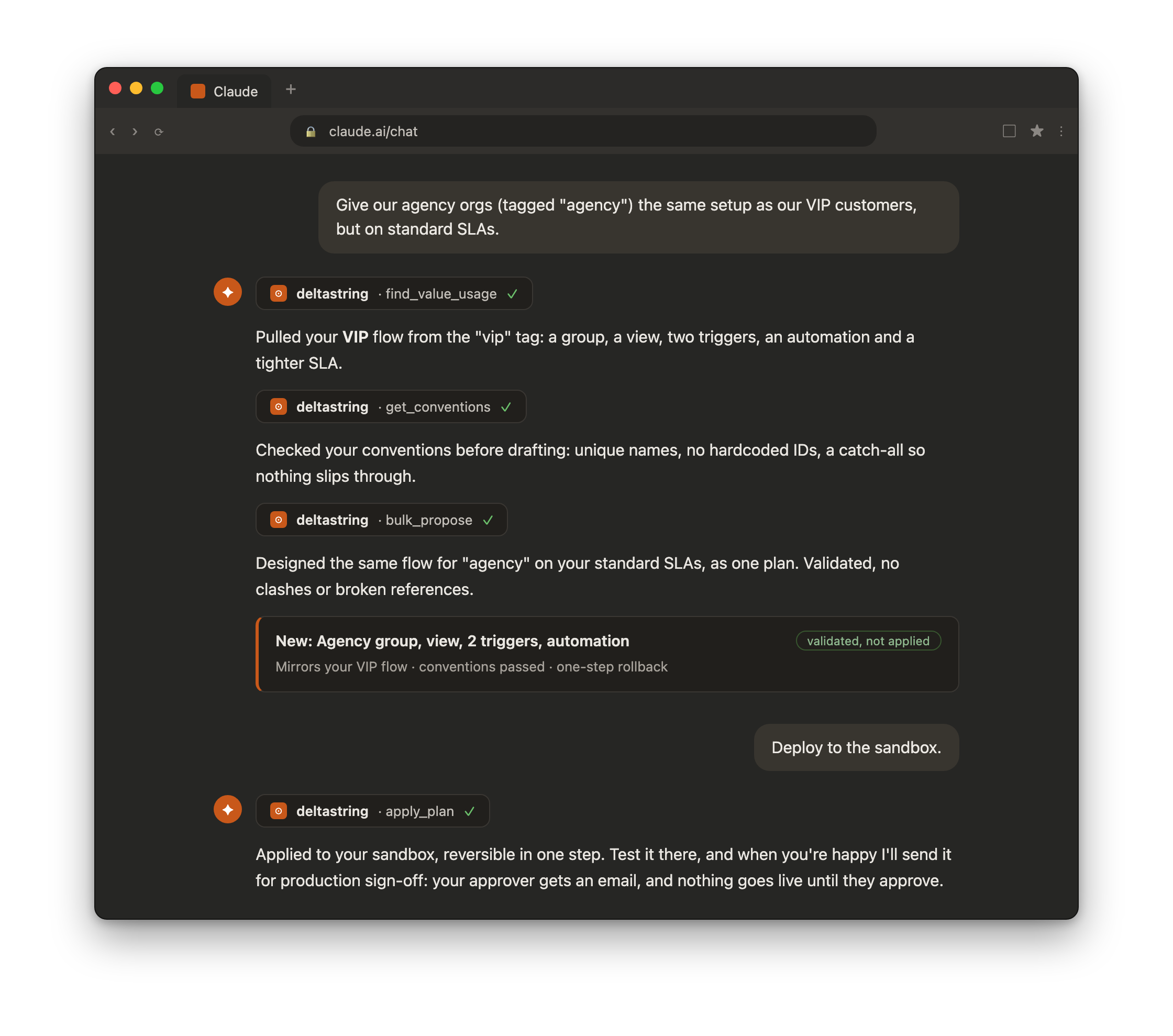
Anyone can pull your configuration and read it, and AI has made that near-free. Changing live production config is different: you want a preview, a warning that carries the fix, a record of what happened and a way back. That matters most the moment an AI, and not just a careful admin, starts making the changes.
In-house admins and ops
Teams running Zendesk at real scale, where one wrong change reaches real customers.
Partners and agencies
The people who run a fleet of client instances for a living, and have to govern every one of them.
Anyone adding AI
Put an agent near your configuration and you want a governed chokepoint between its intent and your live data.
How it works
Step 1
Connect Zendesk and Deltastring reads your configuration. Every sync is versioned in git, so you can see past states, compare two points in time and bring a recent version back in one step. Configuration only, no ticket data.
Step 2
Health checks surface references pointing at things that no longer exist. Drift detection shows what has changed from a known-good baseline, and who changed it.
Step 3
Draft the change yourself or with the AI tools you already use. Deltastring shows exactly what will change in plain terms, warns about anything risky, applies it and records it with what it replaced.
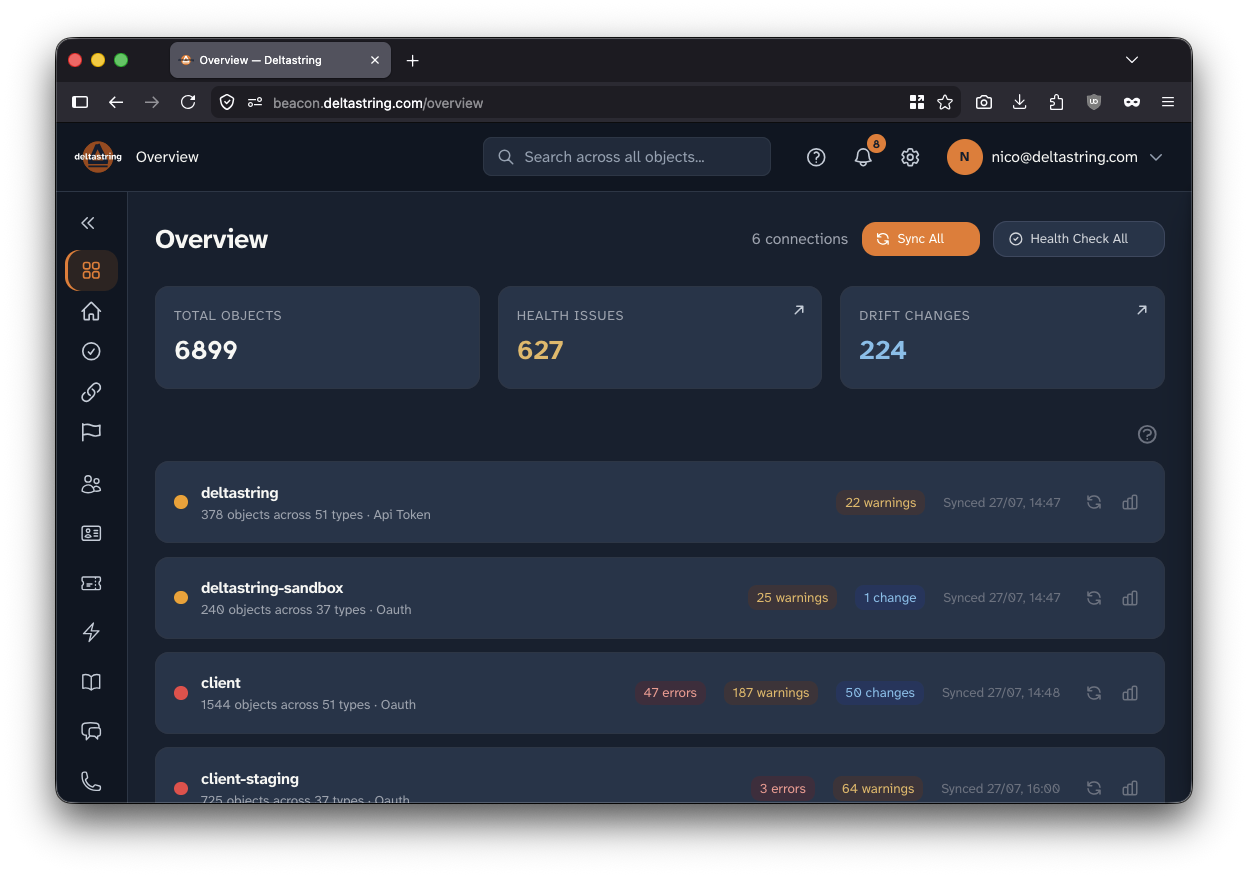
Live, right now
Updated — · see more numbers
What Deltastring does

Your AI, your data
Connect the AI tools your team already uses, Claude, Cursor and the rest, over an MCP built for Zendesk. Your AI reads your live configuration before it proposes anything, so its changes follow your naming rules and fit the instance you actually have.
Every change it drafts is validated, held for your approval and recorded. The agent can apply to a sandbox, but it can never reach production on its own: that stays a human decision. Config only, never your tickets.
your tools · validated and recorded · production gated to a person · config only
See it clearly
Every trigger, macro, view, SLA, group, field and workflow, cross-referenced and searchable. Ask what depends on a tag or a field and Deltastring traces it across every object that touches it, work that otherwise means picking through the admin by hand.
Health checks surface the faults Zendesk hides: broken references, inactive objects, duplicate names, orphaned and dead tags, silent-timer automations that never fire, SLA gaps, and webhooks failing quietly, each with the fix and the consequence spelled out.
search · dependency mapping · health checks · drift detection

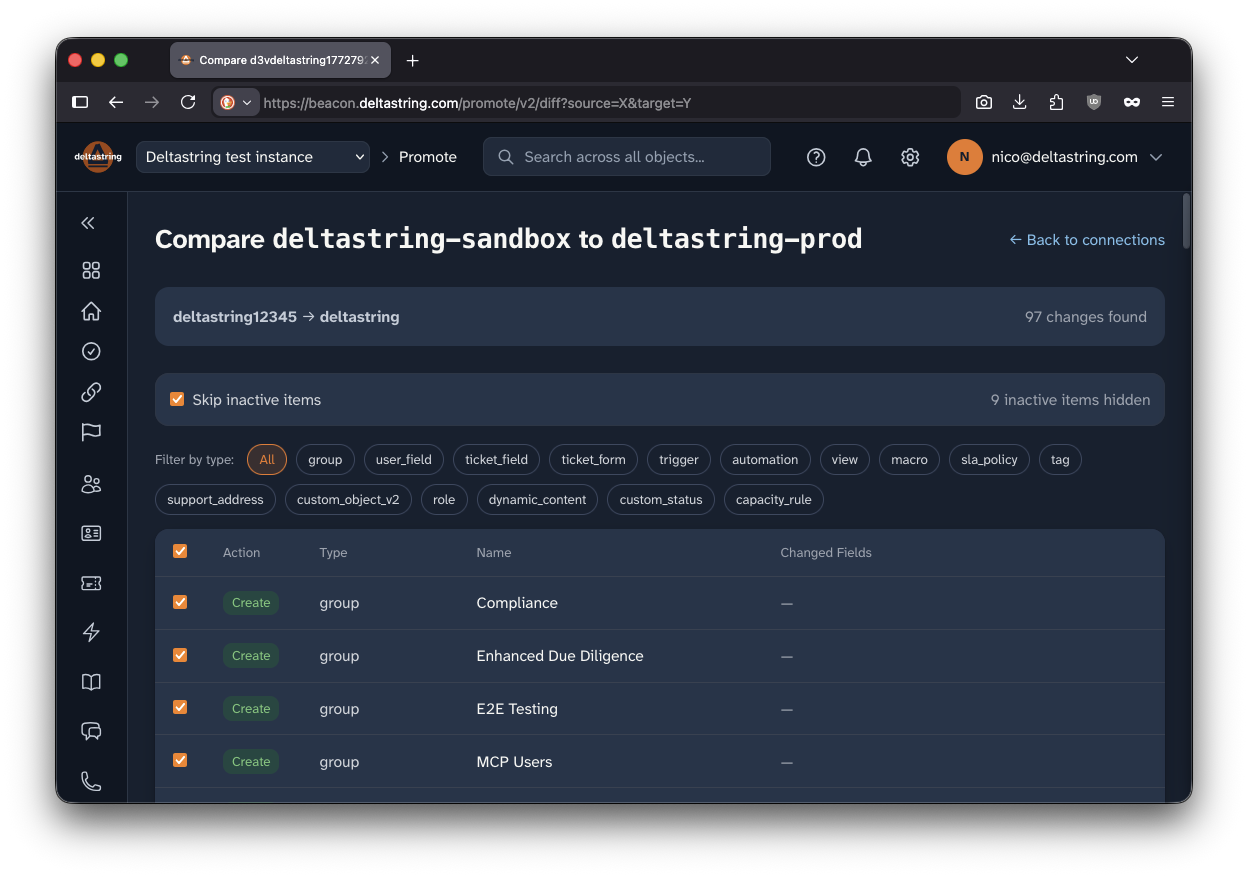
Change it safely
Preview any change, check it for conflicts and broken references, and stage it. Promote from sandbox to production with dependencies ordered and IDs translated, so nothing arrives pointing at the wrong object. Dry-run trigger logic against sample tickets you define before anything ships.
Every change is recorded with what it replaced, and most can be undone in one step for seven days. Deltastring won't delete anything whose current state it can't first save. Your configuration's history is kept in git, and recent versions restore in one step. Help Centre article text isn't kept in those saved versions, so for an article edit the one-step undo is the way back.
preview · sandbox to production · one-step undo for seven days · history in git
Build it together
Version control, an audit trail and shared conventions mean your team develops Zendesk like software, with the same versioning and review the rest of your stack gets. Your naming and structure rules are applied to every change, whether a person or an assistant makes it.
Multi-user from the start, with SSO over OIDC, role-based access, and approval workflows so nothing reaches production without the review you set.
version control · conventions · approvals · SSO & RBAC

Integrations and coverage
Export config to Excel or Google Sheets, edit in bulk, and bring it back through the same safety checks.
A REST API, HMAC-signed webhooks with retries and a delivery log, and scheduled syncs to keep snapshots current.
Mirror your configuration as YAML in your own Git repository, versioned alongside the rest of your stack.
Coverage across Support, Talk, Chat and the Help Centre, including custom objects, not just triggers and macros.
Promote between instances with dependency ordering and ID translation, cherry-picking exactly the diff you want.
An MCP agent interface so the AI tools your team already trusts can work on your Zendesk inside the same checks.
Deltastring doesn't stand between you and your Zendesk. Anyone it refused could open Zendesk in another tab and do the same thing, unguarded and unrecorded, so a refusal would only push the work somewhere it can't see. So it treats you as the professional you are: it says clearly what is wrong and what will probably happen, keeps the action inside the audit trail, and lets you decide.
We're the consultants major CX firms subcontract their hardest Zendesk work to. Every safeguard here exists because we needed it on real client instances, where one wrong change hits real customers. Our own team uses the same platform to run Zendesk for managed clients, so what you get is what we rely on.
Configuration, plus users and organisations when you ask. OAuth connections, credentials encrypted at rest, and changes only when someone asks for them. Security and trust
Pricing
One production Zendesk and its sandboxes. Pro at £250 a month, Enterprise at £750, and an Agency plan for consultants running many client instances. Start with a free trial of ten active days: days you use it, not calendar days.
Every change previewed and recorded, and most of them one step to undo, whether you make it or your AI does. Try it for ten active days, or talk it through with us.